


Slotrave App
The Slotrave app turns your phone into a full casino floor. No stripped-down version. No tiny lobby with half the games missing.

Slotrave casino built its platform around mobile first. The design feels fast, the menus make sense, and the games load without that annoying lag that ruins the mood after every tap. If you play slots, live dealer tables, crash games, or simply want to check your balance and promotions, the whole casino fits neatly into your pocket.
There is no difference between the desktop and mobile accounts either. One login gives you access to the same balance, bonuses, game history, and withdrawal options.
Canadian users can access the platform on both Android and iPhone. There is also a mobile browser version for players who do not want to install anything.
Mobile App for Android
Android users get the easiest route. The browser handles the installation directly, instead of a Slotrave APK file through the official site, which means you do not have to rely on the Google Play Store.
The Android version feels sharp from the first screen — the home page opens quickly, the categories slide smoothly, and the game lobby is laid out in a way that actually makes sense on a phone.
How to Download and Install
The easiest way to get started is to open the casino website through Chrome or another mobile browser on your Android device. Somewhere near the top, you will see the option to download Slotrave app — tap it, and the app installs automatically.
To install it:
- Open the official casino website.
- Navigate to the app download section.
- Tap “Install”.
- Wait a few seconds.
- Open the app and log in.
Never use third-party websites to download Slotrave APK. Those copies are often outdated, broken, or full of problems you do not want anywhere near your banking details.
Compatible Devices
The Android version runs on most modern devices. You generally need:
- Android 8.0 or newer.
- At least 150 MB of free storage.
- Stable Wi‑Fi or mobile internet.
- Chrome, Samsung Internet, or another current browser for the initial install.
The app works well on:
- Samsung Galaxy phones and tablets.
- Google Pixel devices.
- Motorola phones.
- OnePlus models.
- Xiaomi and Huawei devices.
- Android tablets.
Even mid-range phones handle the casino well. You do not need the latest flagship device to spin slots or join a live roulette table.
Mobile App for iOS
Apple users do not get left out. The casino works smoothly on iPhone and iPad, although the process is slightly different because Apple is stricter about outside downloads.
There is currently no traditional App Store listing in Canada. Instead, iPhone users access the platform through a browser-based shortcut that behaves almost exactly like a real app.
Once added to the home screen, it opens in its own window, hides the browser tabs, and feels nearly identical to a native iPhone app. That is the version most Canadian players use.
How to Download and Install
Open the Slotrave website in Safari on your iPhone or iPad. After the page loads:
- Tap the Share button at the bottom of the screen.
- Scroll down.
- Press “Add to Home Screen”.
- Choose a name.
- Tap “Add”.
The icon then appears on your home screen like any other app. This is the easiest Slotrave app download for iOS users because there is no App Store approval process and no waiting around.
Once saved, the icon launches directly into the casino. It skips the browser bar and opens in full-screen mode. The shortcut version also updates automatically because it always loads the newest version of the site. Canadian players never need to reinstall anything manually.
Compatible Devices
The iOS version works on most Apple devices released within the last several years. You generally need:
- iOS 14 or newer.
- Safari browser.
- Roughly 100 MB of available space for cached data.
- Stable internet connection.
The platform runs well on:
- iPhone 11 and newer.
- iPhone SE models.
- iPhone XR and XS.
- iPad Air.
- iPad Mini.
- Standard iPad devices.
The casino also adjusts nicely to different screen sizes. On an iPhone, the menus stack vertically and are easy to tap. On an iPad, the lobby stretches out and feels closer to the desktop version.
Sign UpFeatures of the Slotrave App
The Slotrave casino app is not some thin mobile shell with five slot games and a cashier button. It includes almost everything found on the desktop site. Canadian users can:
- Browse the full 6,000+ game library.
- Play slots, table games, and live dealer games.
- Deposit and withdraw funds.
- Claim bonuses of up to 5,000 CAD.
- Join tournaments.
- Contact 24/7 support.
- Use the search bar and filters.
- Switch between portrait and landscape mode.
The lobby itself is one of the better parts of the experience. This app sorts games into categories such as:
- Popular.
- Recent Winners.
- New Games.
- Megaways.
- Jackpot Slots.
- Live Casino.
- Crash Games.
Each game usually shows extra details before you even open it. You can often see if the game has free spins, a jackpot, a bonus round, or demo mode.
You can also use the same account across multiple devices. Start a slot session on your phone, move to a tablet later, and your balance and recent activity stay exactly where you left them. Canadian players can use CAD as their primary account currency, avoiding messy conversion fees.
Registration Process via the Slotrave App
Creating an account through the mobile version is quick. To register:
- Open the app or mobile site.
- Tap “Join Now”.
- Enter your email address and password.
- Choose Canada as your country.
- Select CAD if you want to play in Canadian dollars.
- Confirm that you are over 18.
- Finish the registration.
After signing up, you may receive a confirmation email. Open it, press the verification link, and the account becomes active. The casino often shows the welcome offer immediately after registration.
If you want to claim a bonus, select it before making your deposit. That step matters because the casino does not always add it automatically afterwards.
The Slotrave application also allows players to complete KYC later. You do not need to upload documents as soon as you register. Most Canadian users only need to verify their identity when they request a withdrawal or if the casino asks for proof of address.
Sign UpMobile Website Version
Some Canadian players would rather keep things simple and use the mobile browser version instead. That works perfectly fine because the site is designed to behave almost exactly like the app.
Open the casino through Chrome, Safari, or another browser, and you get nearly the same experience. The menus stay accessible, the games load quickly, and the cashier works without problems.
In fact, many players who think they are using an app are actually using the browser shortcut version on iPhone. The mobile website has a few advantages:
- No installation required.
- Takes up no extra storage.
- Always runs the latest version.
- Works on almost any device.
When using a shared phone or simply do not want a casino icon sitting on your home screen, the browser version is probably the better choice. It is also the fastest option if you want to try the platform quickly before deciding to download Slotrave for long-term use.
Slotrave Mobile Games
This is the real reason people install the app in the first place. The game selection is huge. Canadian players get access to 6,000+ titles, including slots, jackpots, live dealer tables, crash games, and instant-win games.
You will find:
- Megaways slots.
- Hold and Win games.
- Fishing slots.
- Classic fruit machines.
- Progressive jackpots.
- Bonus Buy titles.
Popular games often include Big Bass Splash, Gates of Olympus, Sweet Bonanza, Wanted Dead or a Wild, and several fishing games that remain favourites with Canadian players.
The app also includes titles from major providers, including Pragmatic Play, Play’n GO, BGaming, NetEnt, and Hacksaw Gaming.
The live casino deserves a mention too. Roulette, blackjack, baccarat, Monopoly Live, and Dream Catcher all work surprisingly well on mobile. The video stream stays sharp, the controls respond quickly, and the tables rotate properly when you turn your phone sideways.
The mobile experience feels especially strong during live dealer sessions because the interface keeps the betting panel out of the way, rather than covering half the screen.
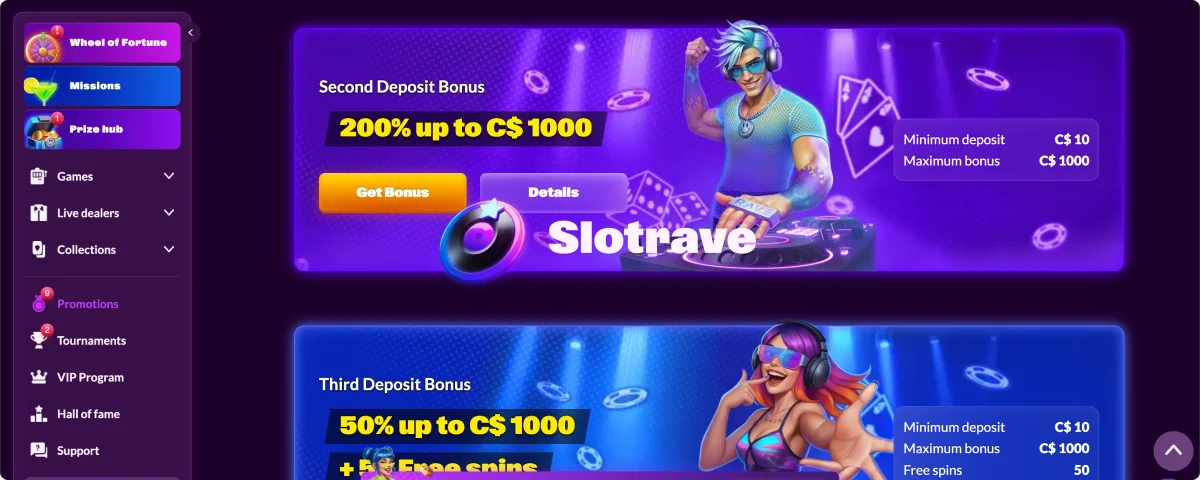
There are also regular tournaments, missions, and short-term promotions built into the app. You can usually find them under the promotions tab without needing to hunt around the site.
Sign UpFrequently Asked Questions
-
Does the App Include the Same Bonuses as the Desktop Version?
-
Is the App Safe to Install?
